
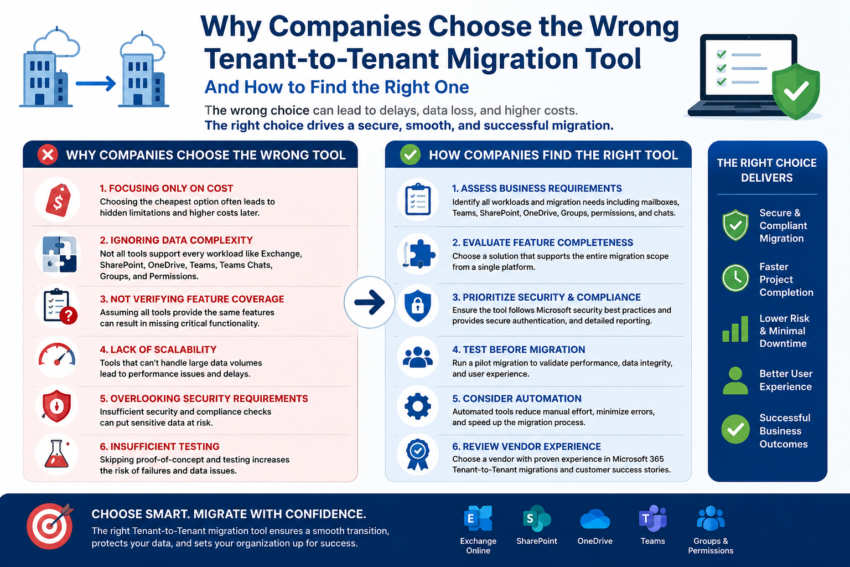
Tenant-to-Tenant (T2T) migration projects have become increasingly common as organizations merge, acquire businesses, rebrand, or consolidate Microsoft 365 environments. While selecting a migration tool may seem straightforward, many companies end up choosing solutions that fail to meet their requirements, resulting in delays, data loss, increased costs, and user dissatisfaction.
Why Companies Choose the Wrong Migration Tool
- Focusing Only on Cost
Many organizations select the cheapest migration solution without evaluating its capabilities. While a lower price may appear attractive, hidden limitations often lead to additional costs during the migration process.
- Ignoring Data Complexity
A migration project may involve Exchange Online mailboxes, OneDrive, SharePoint, Teams, Teams Chats, Groups, and Permissions. Some tools support only a subset of these workloads, forcing organizations to use multiple solutions.
- Not Verifying Feature Coverage
Companies often assume that all migration tools provide the same functionality. In reality, support for Teams Chats, SharePoint permissions, OneDrive sharing links, and Microsoft 365 Groups can vary significantly.
- Lack of Scalability
A tool that works well for a small migration may struggle with thousands of users and terabytes of data. Performance limitations can increase migration timelines and operational risks.
- Overlooking Security Requirements
Data security and compliance are critical. Organizations that fail to evaluate security controls, authentication methods, and audit capabilities may expose sensitive business information.
- Insufficient Testing
Many organizations skip proof-of-concept testing and move directly into production. This increases the risk of unexpected issues and migration failures.
How Companies Find the Right Migration Solution
Assess Business Requirements
Start by identifying all workloads that need to be migrated, including mailboxes, Teams, SharePoint sites, OneDrive accounts, groups, permissions, and Teams Chats.
Evaluate Feature Completeness
Choose a solution that supports the entire migration scope from a single platform whenever possible.
Prioritize Security and Compliance
Ensure the migration solution follows Microsoft security best practices and provides secure authentication methods and detailed reporting.
Test Before Migration
Run a pilot migration with a small group of users to validate performance, data integrity, and user experience.
Consider Automation
Automated migration tools reduce manual effort, minimize errors, and help organizations complete projects faster.
Review Vendor Experience
Select a provider with proven experience in Microsoft 365 Tenant-to-Tenant migrations and a track record of successful deployments.
Conclusion
Choosing the wrong Tenant-to-Tenant migration tool can lead to project delays, increased costs, and business disruption. Organizations that carefully evaluate their requirements, validate capabilities, and conduct proper testing are far more likely to achieve a successful migration outcome.
https://www.cloudbik.com/solutions/microsoft-365-tenant-migrations/
Solutions such as CloudBik help organizations migrate Exchange Online, SharePoint, OneDrive, Teams, and Teams Chats securely and efficiently through a unified migration platform, reducing complexity and accelerating project success.