

A dental website is more than an online brochure. It is often the first place a new patient learns about your practice. Before calling, many people want to know what treatments you offer, where you are located, what patients say about you, and how they can book an appointment.
This is why dental website design needs to focus on both appearance and patient experience. A clean layout can make a good first impression, but useful features help visitors take the next step.
Good website design for dentists should make information easy to find, work well on mobile devices, and guide visitors toward booking an appointment. It should also support your online visibility through strong content and technical SEO.
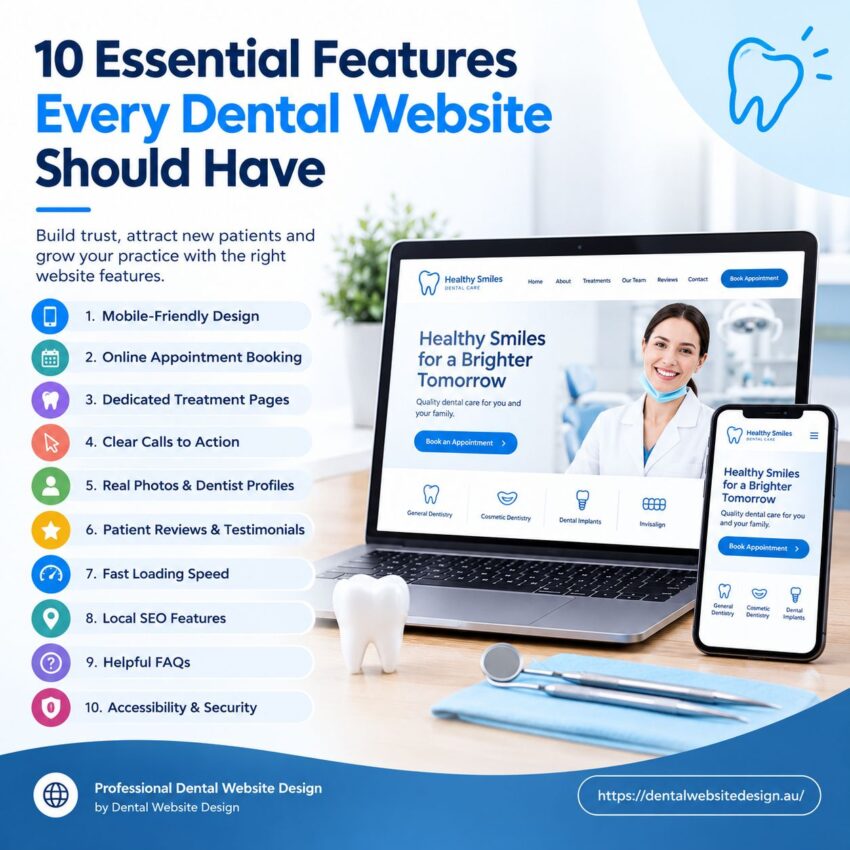
Here are 10 essential features every dental website should have.
1. Mobile-Friendly Website Design
Most people use their phones to search for local services. A dental website must work well on smartphones, tablets, laptops, and desktop computers.
A mobile-friendly website should have:
- Easy-to-read text
- Simple menus
- Large buttons
- Fast-loading pages
- Clickable phone numbers
- Easy-to-use booking forms
- Images that fit the screen
Patients should not need to zoom in or scroll from side to side to read your content.
A responsive website adjusts its layout to fit the user’s screen. This creates a better experience and helps visitors find what they need.
Mobile-friendly design is also important for search visibility because Google uses the mobile version of websites when assessing and ranking pages.
Make Mobile Booking Simple
A patient may find your website while travelling, at work, or outside clinic hours. Your booking button should be easy to find on a phone.
A sticky “Book an Appointment” button can help visitors take action without searching through the page.
2. Clear Online Appointment Booking
Online booking is one of the most useful features for a dental practice.
Not every patient wants to call. Some people may be busy during clinic hours. Others may feel nervous about speaking to a receptionist. An online booking system gives them another way to contact your practice.
A good booking system should let patients:
- Select a service
- Choose an available date
- Select a suitable time
- Enter basic contact details
- Receive booking confirmation
Keep the booking process simple. Asking for too much information at the first step can make patients leave.
If full online booking is not suitable for your practice, you can use a short appointment request form.
3. Dedicated Dental Treatment Pages
A common mistake is putting every treatment on one services page.
A better approach is to create separate pages for important treatments. For example:
- General dentistry
- Teeth whitening
- Dental implants
- Invisalign
- Cosmetic dentistry
- Emergency dentistry
- Children’s dentistry
- Root canal treatment
- Dental crowns
- Preventive care
Each page should explain what the treatment is, who it may help, what patients can expect, and how they can contact the practice.
Dedicated treatment pages also give search engines more information about your services. This can support seo for dentists by helping your website target specific search terms.
Answer Patient Questions
A treatment page should answer common questions before the patient needs to call.
For example:
- Is the treatment painful?
- How long does it take?
- What does the process involve?
- Who is a suitable candidate?
- What should I do before treatment?
- What happens after treatment?
Useful answers can help patients feel more confident about contacting your practice.
4. Clear Calls to Action
A website should tell visitors what to do next.
A call to action, or CTA, can guide patients toward the next step. Examples include:
- Book an Appointment
- Call Our Dental Clinic
- Request an Appointment
- Meet Our Dentists
- View Our Treatments
- Contact Our Team
Do not hide your main CTA at the bottom of the website.
Place important actions where visitors can see them. Your header, homepage, treatment pages, and contact page should make it easy to take action.
Use One Main Goal
Too many buttons can confuse visitors.
Choose a main goal for your website, such as booking an appointment. Other actions can support that goal.
This makes the visitor journey simple and clear.
5. Real Photos and Dentist Profiles
Patients want to know who will treat them.
Stock images can make a website look polished, but real photos can create a stronger connection. Show your dentists, dental team, reception area, treatment rooms, and clinic.
Create a profile page for each dentist where suitable.
Include:
- Dentist’s name
- Qualifications
- Areas of interest
- Experience
- Professional photo
- Short introduction
A friendly introduction can make a new patient feel more comfortable before their first visit.
This is an important part of dentist web design because trust matters when someone is choosing a healthcare provider.
6. Patient Reviews and Testimonials
Reviews can help a new patient decide whether your practice is right for them.
Add genuine patient reviews to your website. You can display selected testimonials on the homepage and create a dedicated reviews section.
Good review content can help answer questions such as:
- Do patients feel comfortable?
- Is the team friendly?
- Is the clinic clean?
- Are appointments easy to arrange?
- Do patients recommend the dentist?
Do not use fake reviews or make claims that cannot be supported.
You can also provide a link that allows existing patients to leave a review on your Google Business Profile.
7. Fast Loading Speed
Nobody wants to wait for a website to load.
A slow dental website can create a poor first impression. It may also cause visitors to leave before they see your services or booking options.
Good dental website design should focus on website performance from the start.
To improve speed:
- Compress large images
- Use modern image formats
- Reduce unnecessary scripts
- Remove unused plugins
- Use reliable hosting
- Keep page layouts clean
- Check performance on mobile devices
Speed is not only about technical performance. It affects the whole patient experience.
If someone searches for a dentist and your website takes too long to load, they may return to Google and choose another practice.
8. Strong Local SEO Features
Dental practices depend on local patients. This makes local search an important part of seo for dentists.
Your website should clearly show your:
- Practice name
- Address
- Phone number
- Opening hours
- Service areas
- Contact details
These details should match your Google Business Profile and other business listings.
Add location-focused content where it makes sense. For example, a dental practice in Melbourne may create useful pages that explain its services to people searching for a dentist in Melbourne.
Do not fill pages with repeated keywords. Write for patients first.
Add Useful Local Information
A contact page can include:
- Clinic address
- Map
- Parking information
- Public transport details
- Opening hours
- Phone number
- Appointment options
This makes it easier for patients to reach your clinic.
9. Helpful FAQs and Patient Information
Patients have many questions before visiting a dentist.
An FAQ section can provide quick answers and reduce uncertainty.
Common questions may include:
Do I need an appointment?
Explain how patients can arrange an appointment and whether emergency visits are available.
What should I bring to my first appointment?
Explain any forms, identification, previous dental records, or other information patients may need.
How often should I visit the dentist?
Provide general information and encourage patients to discuss their needs with their dental professional.
Do you accept new patients?
Make your new-patient policy clear.
Do you offer emergency dental care?
Explain what patients should do if they have severe dental pain, an injury, or another urgent concern.
FAQs can improve the user experience and give search engines more useful information about your website.
10. Accessible and Secure Website Experience
A dental website should be easy for as many people as possible to use.
Accessibility features can include:
- Clear text
- Good colour contrast
- Descriptive image alt text
- Keyboard-friendly navigation
- Clear form labels
- Easy-to-read headings
- Captions for suitable video content
Forms should also be handled with care because dental practices deal with personal and health-related information.
Avoid asking for sensitive medical information through a basic website contact form unless your system is designed to handle it securely.
Your privacy policy should explain how information submitted through the website is handled.
Keep Website Information Up to Date
Security and trust do not end when the website launches.
Review your website on a regular basis. Check phone numbers, opening hours, treatment information, booking links, staff details, and forms.
A broken booking button can cost a new patient. An old opening time can create frustration. Small website updates can make a big difference.
How These Features Work Together
The best website design for dentists is not about adding as many features as possible. Each feature should have a purpose.
Think about the journey of a new patient.
They may first find your practice through Google. They visit your website on their phone. They look at your treatments. They read reviews. They check your location. Then they decide whether to book.
Your website should make each step simple.
A strong website can help visitors:
Find → Learn → Trust → Contact → Book
That is the goal of good dentist web design.
Why Professional Dental Website Design Matters
Building a dental website requires more than choosing a template and adding text.
The website needs a clear structure, strong user experience, mobile-friendly layouts, useful content, local SEO, fast performance, and simple booking options.
Professional dental website design brings these elements together into one clear website experience.
It can also make it easier to improve your website as your practice grows. You may add new treatments, introduce new dentists, update opening hours, publish educational content, or create new location pages.
Your website should grow with your practice.
Final Thoughts
A dental website should make patients feel informed and confident. It should answer common questions, show what your practice offers, build trust, and make booking easy.
The 10 essential features are:
- Mobile-friendly design
- Online appointment booking
- Dedicated treatment pages
- Clear calls to action
- Real photos and dentist profiles
- Patient reviews
- Fast loading speed
- Local SEO features
- Helpful FAQs
- Accessibility and security
If your current website is missing several of these features, it may be time for an update.
With the right website design for dentists, your website can become more than a digital brochure. It can become a useful part of your patient journey and help your practice build a stronger online presence.
For professional dental website solutions, visit Dental Website Design and explore how a patient-focused website can support your practice.