
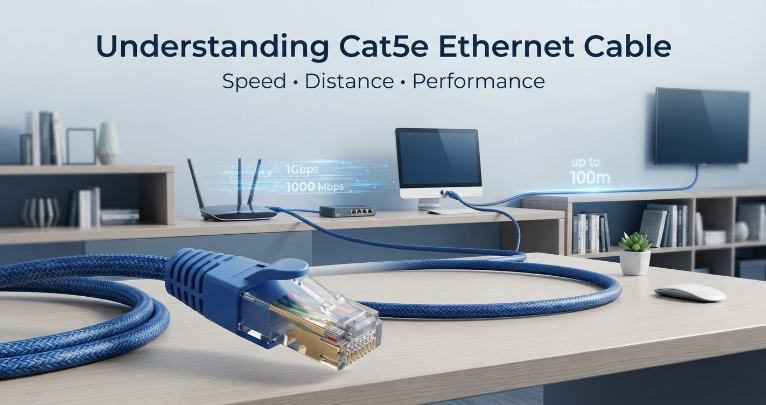
Plug in a cable, and a network just works. That simplicity is why so many homes, offices, and small businesses still rely on a cat5e ethernet cable for wired connections. It doesn’t need configuration, it doesn’t drop out when a microwave turns on, and it’s been a trusted part of networking setups for years.
But “trusted” isn’t the same as “well-understood.” Most people who use Cat5e cable daily couldn’t say exactly how fast it runs, how far it can stretch, or what determines whether it performs well. This guide covers all three speed, distance, and performance.
What Is a Cat5e Ethernet Cable, Exactly?
The “5e” in Cat5e stands for Category 5 enhanced. It’s a refined version of the original Cat5 cable, built with tighter internal twists in its copper wire pairs. That change cuts down on crosstalk interference caused when signals leak between neighboring wires.
That refinement gave Cat5e more headroom and consistency than the cable it replaced, and it caught on fast. Today it runs behind walls in houses, through office ceilings, and out of IT closets everywhere, helped by the RJ45 connector on each end the same plug used by essentially every router, switch, and network card made in the last twenty years.
Cat5e Ethernet Cable Speed: What’s Realistic?
Cat5e cable is rated for Gigabit Ethernet, topping out at 1 Gbps under normal conditions far beyond what most home or office activity needs.
Web browsing and email use a tiny sliver of that bandwidth. Streaming a 4K movie pulls more, but still nowhere near a full gigabit. Online gaming cares less about raw speed and more about consistency, which Cat5e delivers reliably. Large file transfers or network backups are where its speed becomes most noticeable, especially versus a congested wireless network.
The cable sets the ceiling, not the floor. Your actual Cat5e Ethernet cable speed also depends on your router, switch, network adapter, and internet plan an old 100 Mbps router becomes the bottleneck no matter how good the cable is.
How Far Can a Cat5e Cable Actually Run?
Distance has a hard limit, worth knowing before you drill holes in walls. The Ethernet standard sets a 100-meter maximum for a complete cable run, or channel typically split between 90 meters of fixed, in-wall cabling and up to 10 meters of patch cables on either end.
Push past that limit and things don’t fail all at once they degrade. You might see occasional dropouts, slower speeds, or a connection that works fine most of the time but glitches under load.
If a project needs to cover more ground than 100 meters a detached garage, a warehouse, a multi-floor office the fix isn’t a longer cable, it’s adding a network switch partway through the run. And before any cable goes into a wall, measure the route rather than guess.
What Actually Affects Cat5e Performance
Two cables labeled “Cat5e” can behave differently once installed. Build quality is a major reason why. Solid-conductor cable holds up well for permanent in-wall runs, while stranded cable flexes more easily, making it better for patch cables that get moved often. Copper quality matters too cheaper cable sometimes cuts corners, and it shows up as inconsistent performance.
Installation matters just as much as manufacturing. Sharp bends, tight staples, or crushing cable under furniture can all degrade the signal, and a poorly wired or crimped connector can cause problems that look like a bad cable but are really a bad connection.
Interference is worth a mention too. Running cable alongside fluorescent lighting or industrial motors can introduce noise, which is where shielded Cat5e cable helps though most homes and offices never need it.
Finally, don’t overlook the hardware on either end. A great cable paired with an aging switch or cheap adapter still inherits that equipment’s limitations.
Cat5e or Cat6? A Straightforward Comparison
| Feature | Cat5e | Cat6 |
|---|---|---|
| Typical use case | Homes, offices, everyday networking | Networks with heavier bandwidth needs |
| Gigabit support | Yes | Yes, with more overhead |
| Bandwidth ceiling | Lower | Higher |
| Cost | Generally lower | Generally higher |
| Best fit for | Standard networking today | Planning ahead for growth |
Cat6 isn’t a strict upgrade you need for every project it’s a different tool for a different job. If your network handles normal browsing, streaming, and file sharing, a Cat5e network cable already covers that comfortably. Cat6 earns its higher price tag when a network is built with future bandwidth demands in mind, or when the extra performance margin genuinely matters.
Choosing the Right Cat5e Cable for Your Setup
Start with the basics: how long does the run need to be, and what speed does your network actually require? From there, decide between solid and stranded construction based on whether the cable is going into a wall permanently or getting used as a flexible patch cable. If your environment has heavy electrical interference, weigh whether shielded cable makes sense.
Double-check compatibility with your existing routers, switches, and adapters before buying in bulk. And think a step ahead if you’re planning to add devices or upgrade your setup soon, account for that now rather than re-running cable later. None of this means buying the priciest option on the shelf; it means buying the right one.
Finding a Cable Supplier You Can Trust
Not all Cat5e cable is created equal, and the supplier behind it matters more than people assume. Look for clear technical specifications, solid build quality, and a track record of consistent manufacturing rather than vague marketing claims.
For anyone sourcing networking cable in bulk or for a specific project, Cat5e Ethernet Cables from BN Cables cover residential, commercial, and industrial applications with clearly documented specifications.
Where Cat5e Still Makes Sense
Cat5e continues to earn its keep in home networks, home offices, and small business setups. It’s a reliable way to connect desktop computers, printers, smart TVs, and streaming boxes without leaning entirely on Wi-Fi. It also remains a common building block in structured cabling projects, where its balance of cost and capability is hard to beat. The cable performs best when it’s matched to what a network genuinely needs not chosen out of habit and not dismissed just because newer options exist.
Bringing It Together
Speed, distance, and performance aren’t separate concerns together they determine how well a Cat5e Ethernet cable functions in your network. Stay within the recommended distance, install it carefully, and pair it with equipment that can keep up, and Cat5e will deliver steady, dependable results for the everyday networking most homes and businesses rely on.
The smartest approach isn’t picking a cable because it’s the newest or the cheapest it’s picking the one that matches what your network needs to do.